Running R on Linux with a high-DPI display and finding that the default plot window is too small and looks terrible?
Click read more to find out how to fix it!
Running R on Linux with a high-DPI display and finding that the default plot window is too small and looks terrible?
Click read more to find out how to fix it!
In the final part of this expanded guide series introducing you to R, this guide gives you an overview of the graphics systems in R, and gets you started creating plots using base graphics.
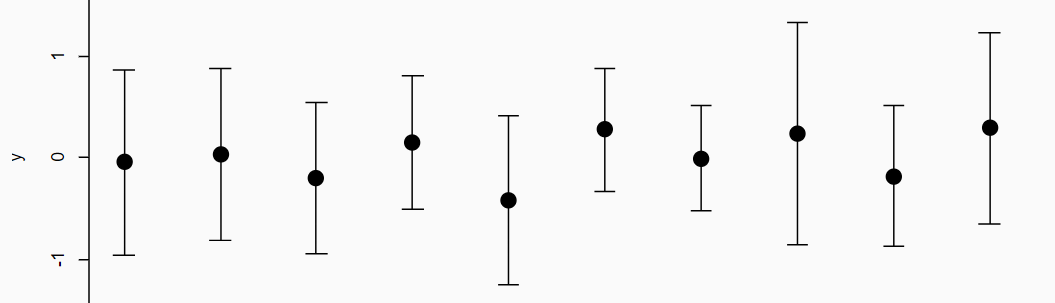
R has no error bar function? Surely not!
Well, yes and no. Error bars can be added to plots using the arrows() function and changing the arrow head. You can add vertical and horizontal error bars to any plot type. Simply provide the x and y coordinates, and whatever you are using for your error (e.g. standard deviation, standard error).
Read on to see how this is done with examples.
A quick guide to pch symbols in R, including: which symbols are available, how to use them in plots and how to style them by changing colours, size, and line widths.
A handy reference for pch!
A quick guide to the different line types that are available to use in R, and how to use them. This guide will also show you how to create your own line type, and additionally covers line end styles (lend) and line join styles (ljoin).
A handy reference for lty, lend and ljoin!

Multi-panel plots and figures are used everywhere, especially in scientific papers to compare different graphs or datasets. And creating them has never been easier using R!
There are several functions and ways in which you can create multi-panel plots/figures, and in this guide I will show you how to use the layout() function (available in the base installation) to create them.